On this page
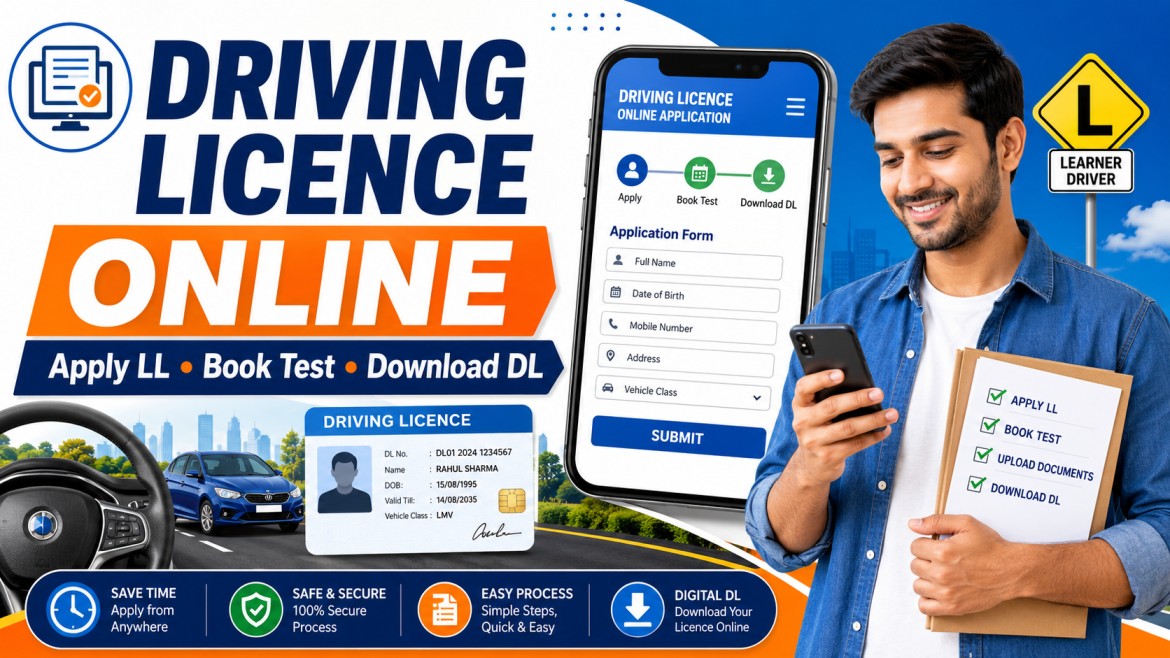
Applying for a driving licence in India usually involves two stages:
- Applying for a Learner’s Licence
- Applying for a Permanent Driving Licence after holding the learner’s licence for the required period and passing the driving test
Applications are handled through the Ministry of Road Transport and Highways’ Sarathi Parivahan platform and the relevant state transport authority.
The exact online facilities, document requirements, test process, appointment system and RTO visit requirements can differ from one state to another.
Important: Nuvelloza.com is an independent informational website. We are not affiliated with the Ministry of Road Transport and Highways, Parivahan Sewa, Sarathi, any RTO, DigiLocker or mParivahan.
Driving Licence Application Overview
| Particular | Details |
|---|---|
| First stage | Learner’s Licence |
| Second stage | Permanent Driving Licence |
| Official service | Sarathi Parivahan |
| Learner’s Licence validity | Six months |
| Minimum waiting period for permanent DL | 30 days after issue of Learner’s Licence |
| Driving test | Required for a permanent licence |
| Application mode | Online, with RTO visit where required |
| Digital licence | Available through DigiLocker or mParivahan where records are available |
| Final authority | State transport department or licensing authority |
The official Parivahan guidance states that a Learner’s Licence is valid for six months and that a person can apply for a new Driving Licence after holding it for at least 30 days.
What Is a Learner’s Licence?
A Learner’s Licence allows a person to practise driving a particular class of vehicle under the applicable learner conditions.
It is not the same as a full permanent driving licence.
A learner must:
- Follow learner-driving restrictions
- Display the required learner sign
- Practise with appropriate supervision where required
- Follow traffic and safety rules
- Apply for the permanent licence before the Learner’s Licence expires
If the Learner’s Licence expires, the applicant may need to apply for a new one rather than simply renew the expired licence.
Eligibility by Vehicle Type
General age requirements include:
| Vehicle category | General minimum age |
|---|---|
| Motorcycle without gear up to 50cc | 16 years, subject to applicable consent and rules |
| Private LMV or motorcycle with gear | 18 years |
| Transport vehicle | 20 years, subject to state and licence conditions |
Parivahan guidance confirms that private LMV and motorcycle-with-gear applicants generally need to be 18, while transport-vehicle applicants generally need to be 20.
Applicants below 18 should check the specific conditions for low-capacity motorcycles and parental or guardian consent.
Documents Commonly Required
Document requirements vary by state and applicant.
Possible documents include:
- Aadhaar Card
- Passport
- Voter ID
- Birth certificate
- School certificate
- Address proof
- Age proof
- Passport-size photograph
- Medical declaration
- Medical certificate where required
- Signature
- Existing Learner’s Licence
- Mobile number
- Other documents requested by the state portal
PAN Card is not universally required for every driving-licence application.
Applicants should rely on the document checklist shown after selecting their state on the Sarathi portal.
Step 1: Apply for a Learner’s Licence Online
Open the Official Sarathi Portal
Visit the official Sarathi driving-licence services platform.
Select your state before starting because the available services depend on the state transport department.
Official Parivahan instructions direct applicants to open Sarathi, select the concerned state and choose the new Learner’s Licence application service.
Select the Learner’s Licence Service
Choose the option for:
- New Learner’s Licence
- Application for Learner’s Licence
- Another similarly named state service
The wording may differ slightly.
Fill In Personal Details
Enter information such as:
- Full name
- Date of birth
- Address
- Mobile number
- Vehicle class
- Identity details
- Medical declaration
All details should match the supporting documents.
Complete Aadhaar Authentication Where Available
Some states may provide Aadhaar-based authentication and faceless services.
Other applicants may need to visit the RTO for:
- Document verification
- Photograph
- Signature
- Biometrics
- Learner’s test
A fully online process is not available in every state.
Upload Documents
Upload clear documents in the required format and file size.
Avoid:
- Cropped documents
- Blurred photographs
- Expired proof
- Mismatched names
- Unreadable scans
Pay the Applicable Fee
Complete the fee payment through the method provided by the portal.
Under the central fee schedule, common base fees include:
- ₹150 for issue of a Learner’s Licence for each vehicle class
- ₹50 for the Learner’s Licence test or repeat test
- ₹300 for a driving-competence test or repeat test for each vehicle class
- ₹200 for issue of a Driving Licence
Additional service charges or state-level amounts may apply, so applicants should pay the amount displayed by the official portal.
Book the Test or Appointment
Depending on your state, you may need to:
- Book an online test
- Attend a test at the RTO
- Schedule document verification
- Complete biometric verification
Do not assume that the Learner’s Licence test can be completed from home in every state.
Attend the Learner’s Test
The test may cover:
- Traffic signs
- Road rules
- Signals
- Safe-driving practices
- Driver responsibilities
- Penalties
- Basic vehicle knowledge
After approval, the Learner’s Licence may be available for printing or download in supported states.
Step 2: Practise Driving
The Learner’s Licence is generally valid for six months.
You must normally hold it for at least 30 days before appearing for the permanent-licence driving test.
During this period:
- Practise the correct vehicle class
- Follow learner restrictions
- Learn parking and reversing
- Practise traffic-sign recognition
- Follow lane discipline
- Learn safe use of mirrors and indicators
- Avoid driving without required supervision
Step 3: Apply for a Permanent Driving Licence
After the minimum waiting period:
- Return to the Sarathi portal.
- Select your state.
- Choose the new Driving Licence application option.
- Enter your Learner’s Licence number and date of birth.
- Complete the application.
- Upload documents where requested.
- Pay the applicable fee.
- Book the driving-test slot.
- Save the acknowledgement and receipt.
A valid Learner’s Licence for the relevant vehicle class is required for a permanent Driving Licence application.
Step 4: Attend the Driving Test
Attend the designated RTO or test centre on the appointment date.
Carry:
- Learner’s Licence
- Application acknowledgement
- Fee receipt
- Appointment slip
- Original supporting documents
- Appropriate test vehicle where required
- Other documents listed by the state authority
The driving test may assess:
- Starting and stopping
- Steering control
- Reversing
- Parking
- Use of mirrors
- Indicators
- Hill control where relevant
- Road awareness
- Traffic-rule compliance
- Vehicle handling
Passing the test does not always mean the physical card is issued immediately. The licensing authority must process and approve the application.
How to Check Driving Licence Application Status
Applicants can generally check status through Sarathi by selecting:
- State
- Application Status
- Application number
- Date of birth
- Captcha
Possible statuses may include:
- Application submitted
- Documents pending
- Scrutiny at RTO
- Test slot booked
- Driving test result
- Approved
- Licence printing
- Dispatched
An application shown as under scrutiny may require physical verification or biometric completion at the RTO.
How to Download a Driving Licence Online
A digital Driving Licence may be accessed through:
- DigiLocker
- mParivahan
The licence record must be available in the government database and successfully linked to the user.
Download Through DigiLocker
General steps:
- Open DigiLocker.
- Create an account or sign in.
- Search for the Ministry of Road Transport and Highways.
- Select Driving Licence.
- Enter the requested licence details.
- Fetch the issued document.
- Save it in the issued-documents section.
Documents fetched directly from the issuer into DigiLocker carry the same legal validity as their physical counterparts under the applicable digital-document framework.
Access Through mParivahan
Users may also add or access available Driving Licence details through the official mParivahan application.
Follow the identity-verification and licence-linking process shown in the app.
Is a Screenshot of the Licence Valid?
A simple photograph, gallery image or screenshot should not be treated the same as an authentic digital document.
The legally recognised digital record should be displayed through the issued-document section of DigiLocker or the official mParivahan platform, where it can be verified.
DigiLocker states that issued digital Driving Licence and Registration Certificate records can be verified through the digital signature or QR code and are recognised at par with original documents.
Common Problems and Solutions
Learner’s Test Option Not Available Online
Your state may require an RTO visit.
Follow the instructions shown after selecting the state.
Application Is Under Scrutiny
You may need to visit the concerned RTO with original documents, the acknowledgement and fee receipt.
Unable to Print Learner’s Licence
Use:
- Sarathi
- Select state
- Learner’s Licence
- Print Learner’s Licence
- Enter application number and date of birth
The exact service is available only in supported states.
Learner’s Licence Expired
An expired Learner’s Licence generally cannot be used for the permanent test. The applicant may need to apply for a new Learner’s Licence.
Driving Licence Not Showing in DigiLocker
Possible reasons include:
- Incorrect licence number
- Date-of-birth mismatch
- Old record not digitised
- State database not updated
- Recent licence still processing
Contact the relevant state transport department if the licence details are missing from the national register.
Failed the Driving Test
Applicants can generally book a repeat test after following the applicable state rules and paying the repeat-test fee.
Important Safety Tips
- Use only the official Parivahan and Sarathi portals.
- Avoid agents promising a licence without a test.
- Never share an OTP or password.
- Do not pay money to a personal UPI account.
- Upload genuine documents.
- Attend the driving test yourself.
- Do not use a fake medical certificate.
- Check the vehicle class carefully.
- Keep the application number and receipt.
- Use DigiLocker or mParivahan for authentic digital records.
Frequently Asked Questions
Can I apply for a Driving Licence completely online?
The application can generally be started online, but the test, biometrics or document verification may still require an RTO visit. The process varies by state.
How long is a Learner’s Licence valid?
It is generally valid for six months.
When can I apply for the permanent licence?
After holding a valid Learner’s Licence for at least 30 days.
Is Aadhaar compulsory?
Aadhaar-based authentication may be available or requested for certain services, but document and authentication rules vary by state and service.
Is PAN Card compulsory?
No, PAN is not a universal requirement for every driving-licence application.
Can a 16-year-old apply?
A 16-year-old may apply for an eligible motorcycle without gear up to the permitted engine capacity, subject to the applicable consent and legal requirements.
Can an 18-year-old apply for a car licence?
Yes, an eligible applicant aged 18 or above may generally apply for a private LMV Learner’s Licence.
Is the DigiLocker Driving Licence valid?
An issued Driving Licence fetched directly into DigiLocker is legally recognised at par with the physical document under the applicable rules.
Can I drive using only a Learner’s Licence?
You may practise only under the conditions applicable to learner drivers. A Learner’s Licence is not the same as a permanent licence.
Can I get a licence without a driving test?
A permanent licence normally requires the prescribed test of competence. Avoid anyone promising approval without the legal process.
Final Words
The online Driving Licence process is straightforward when completed through the official Sarathi Parivahan platform.
Remember:
- Apply for a Learner’s Licence first.
- Complete the learner test.
- Practise safely.
- Wait at least 30 days.
- Apply for the permanent Driving Licence.
- Pass the driving test.
- Track the application online.
- Access the digital licence through DigiLocker or mParivahan.
Disclaimer
This article is provided for general informational purposes only.
Nuvelloza.com is not affiliated with the Ministry of Road Transport and Highways, Parivahan Sewa, Sarathi, DigiLocker, mParivahan, any RTO or state transport department.
Eligibility, documents, fees, portal options, test procedures and appointment requirements may vary by state and may change.
Applicants must verify the latest process through the official Parivahan and state transport portals before applying.

nuvelloza
Nuvelloza’s editorial team is responsible for researching, reviewing, and maintaining this guide.
More articles by this authorRelated guides
Live Rain Tracker App: Download RainViewer on Android and iPhone
On this pageRainViewer App OverviewWhat Is RainViewer?Main Features of RainViewerLive Rain RadarShort-Term Rain ForecastRain and Weather AlertsLocal Weather ForecastsRainfall TotalsTropical Storm and Hurricane…
Voter List 2026: Check Your Name and Download the Electoral Roll Online
On this pageVoter List 2026 OverviewWhat Is a Voter List?Why Is the Electoral Roll Important?Confirms Voting EligibilityShows Polling DetailsHelps Detect ErrorsReduces Last-Minute ProblemsIs…
State and UT Land Records Online: Check Record of Rights in India
On this pageLand Records Online: OverviewWhat Is a Record of Rights?Is an Online Land Record Proof of Ownership?Digital India Land Records Modernization ProgrammeMain…