On this page
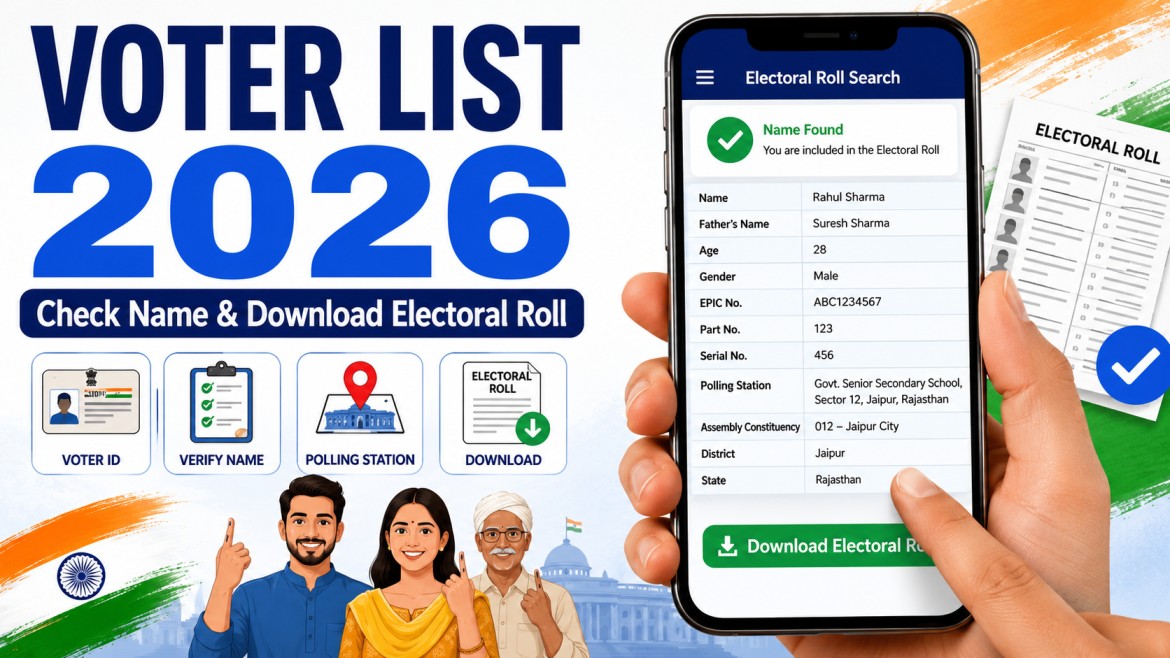
The voter list, officially called the electoral roll, contains the names of people registered to vote in a particular constituency and polling area.
Before an election, every voter should check whether their name appears in the current electoral roll. A Voter ID or EPIC card by itself is not enough if the person’s name is missing from the roll.
The Election Commission of India provides online services to:
- Search your name in the electoral roll
- Check polling-station details
- Register as a new voter
- Correct existing voter information
- Shift registration after moving
- Download available electoral-roll PDFs
- Track voter-service applications
Important: Nuvelloza.com is an independent informational website. We are not affiliated with the Election Commission of India, any Chief Electoral Officer, or any political party.
Voter List 2026 Overview
| Particular | Details |
|---|---|
| Official name | Electoral Roll |
| Responsible authority | Election Commission of India and state election authorities |
| Search methods | EPIC number, personal details, or registered mobile number |
| New voter registration | Form 6 |
| Correction or address change | Form 8 |
| Electoral-roll download | Available by state, constituency, and part where published |
| Application tracking | Available through the Voters’ Services Portal |
| Main requirement to vote | Name must appear in the current electoral roll |
What Is a Voter List?
A voter list is the official register of electors for a particular constituency.
It may contain details such as:
- Voter’s name
- Age or year of birth
- Gender
- EPIC number
- Constituency
- Part or polling-area number
- Serial number
- Polling-station information
- Relationship details used for identification
Public electoral-roll PDFs may mask or limit certain personal details according to current Election Commission practices.
Why Is the Electoral Roll Important?
Confirms Voting Eligibility
A person can vote only when their name appears in the electoral roll for the relevant constituency. Carrying a Voter ID card does not override a missing electoral-roll entry.
Shows Polling Details
The voter search service may show:
- Assembly constituency
- Polling station
- Part number
- Serial number
- Other election-related details
Helps Detect Errors
Checking early gives voters time to request corrections to:
- Name
- Age or date of birth
- Gender
- Address
- Photograph
- Other recorded details
Reduces Last-Minute Problems
Voters who confirm their status before polling day are less likely to discover missing or incorrect details at the polling station.
Is There One Voter List for All of India?
No.
Electoral rolls are maintained by:
- State
- District
- Assembly constituency
- Polling part or polling station
The Election Commission provides a central voter-search and electoral-roll download service, but users still need to select their state, constituency, roll revision, and relevant part.
Who Can Register as a Voter?
A person generally must:
- Be an Indian citizen
- Be at least 18 years old on an eligible qualifying date
- Be ordinarily resident in the constituency
- Not be legally disqualified from registration
- Not be registered more than once
The Election Commission allows eligible citizens to register based on four qualifying dates during the year:
- January 1
- April 1
- July 1
- October 1
A person who will turn 18 on an upcoming qualifying date may also submit Form 6 in advance under the applicable process.
How to Check Your Name in the Voter List
Step 1: Open the Official Voter Search Service
Use the Election Commission’s official Voters’ Services Portal or Electoral Search service.
Step 2: Choose a Search Method
The official search service currently supports options such as:
- Search by EPIC number
- Search by personal details
- Search by registered mobile number
Step 3: Enter the Required Information
When searching by details, you may need to enter:
- Name
- Relative’s name
- Date of birth or age
- State
- District
- Assembly constituency
- Captcha
When searching by EPIC, enter:
- EPIC number
- State
- Captcha
Step 4: Review the Result
If your record is found, check:
- Name
- EPIC number
- Constituency
- Polling station
- Part number
- Serial number
Save or note these details before election day.
What If Your Name Is Not Found?
Try the following:
- Search by EPIC instead of name
- Try a different spelling
- Search using your registered mobile number
- Check your previous constituency
- Confirm that the correct state is selected
- Contact your Booth Level Officer
- Visit the local Electoral Registration Office
- Submit Form 6 if you are not registered
Do not submit a duplicate registration application without checking whether you are already registered elsewhere.
How to Download the Electoral Roll PDF
The electoral-roll download process may differ slightly by state.
Step 1: Open the Official Electoral Roll Download Page
Use the Election Commission’s voter portal or the relevant state Chief Electoral Officer website.
Step 2: Log In Where Required
The central electoral-roll download service may require an account and login before downloading available PDFs.
Step 3: Select the State
Choose the state or Union Territory where you are registered.
Step 4: Select the Revision Year and Roll Type
Available choices may include:
- Final roll
- Draft roll
- Supplement
- Special revision roll
- Other published versions
Use the most recent officially published roll relevant to your constituency.
Step 5: Choose the Constituency and Part
Select:
- District
- Assembly constituency
- Language
- Part number or polling station
- Captcha
Step 6: Download the PDF
Download the available electoral-roll PDF.
The PDF may contain many names, so use:
- EPIC number
- Name
- Serial number
- Polling part
to locate your record.
Search Result vs Electoral Roll PDF
These are related but different.
Individual Search
This is useful for quickly checking:
- Whether your name is registered
- Your EPIC details
- Polling station
- Part number
Electoral Roll PDF
This contains the published list for a constituency part or polling area.
It is useful for:
- Viewing the full roll for the selected part
- Checking family or household entries
- Finding the serial number
- Verifying the published roll version
How to Register as a New Voter
New eligible voters should use Form 6.
The official Voters’ Services Portal provides Form 6 for Indian residents who are 18 or will reach the eligible age on an upcoming qualifying date.
Registration Steps
- Open the official Voters’ Services Portal.
- Create an account or log in.
- Select Form 6.
- Enter personal details.
- Enter the ordinary residence address.
- Upload the requested documents.
- Submit the declaration.
- Save the application reference number.
- Track the application online.
- Cooperate with Booth Level Officer verification if required.
Submitting Form 6 does not immediately guarantee inclusion. The Electoral Registration Officer must verify and approve the application.
Documents for New Voter Registration
The portal or Form 6 may request documents supporting:
- Age
- Date of birth
- Identity
- Ordinary residence
- Citizenship status where relevant
- Photograph
Examples may include:
- Birth certificate
- School certificate
- Passport
- Driving licence
- Aadhaar
- Utility bill
- Bank or post-office passbook
- Ration card
- Rental or ownership document
- Other accepted evidence
The exact accepted documents should be checked in the current Form 6 instructions.
Is Aadhaar Compulsory?
Do not state that Aadhaar is always compulsory for voter registration.
The Election Commission provides a facility to submit Aadhaar information for electoral-roll authentication, but voter services must be followed according to the current form and legal requirements.
Applicants should use only the official portal and never share an Aadhaar OTP with an unknown agent.
How to Correct Voter Details
Use Form 8 for services such as:
- Correcting electoral-roll entries
- Shifting residence
- Replacing an EPIC
- Marking a voter as a person with disability
- Updating supported details
The official Election Commission Forms Dashboard identifies Form 8 for shifting, correction, EPIC replacement, and PwD marking.
Correction Steps
- Log in to the Voters’ Services Portal.
- Select Form 8.
- Choose the required service.
- Enter the existing voter details.
- Provide the corrected information.
- Upload supporting evidence.
- Submit the application.
- Save the reference number.
- Track the request online.
How to Change Address
Form 8 is also used when a registered voter shifts:
- Within the same constituency
- To another constituency
The voter should provide the new ordinary residence details and supporting documents.
Do not keep active registrations in two constituencies.
How to Track an Application
Applicants can track Form 6, Form 8, and other requests through the official Voters’ Services Portal using the application reference number.
The Election Commission’s grievance and voter-service guidance confirms that online status tracking is available through the voter portal.
Possible statuses may include:
- Submitted
- Assigned to BLO
- Under verification
- Accepted
- Rejected
- EPIC generated
- Additional information required
How to Check Offline
People who cannot use the internet may contact:
- Booth Level Officer
- Electoral Registration Officer
- Assistant Electoral Registration Officer
- District election office
- Voter facilitation centre
- Authorised Common Service Centre
Carry your identification and available voter details.
Common Reasons a Name May Be Missing
Possible reasons include:
- Registration was never completed
- Application is still pending
- Address was changed
- Entry was deleted after verification
- Name appears under a different spelling
- Voter is registered in another constituency
- Roll revision is still in progress
- Incorrect constituency was searched
- Previous record was not transferred properly
If you disagree with a deletion or omission, contact the Electoral Registration Officer and use the official claim or registration process.
Important Safety Tips
- Use only Election Commission or official CEO websites.
- Never pay an agent for guaranteed voter registration.
- Do not share OTPs or passwords.
- Do not upload documents to unofficial voter-list websites.
- Check your name before election day.
- Keep your mobile number and email updated.
- Avoid duplicate registration.
- Use Form 8 after moving.
- Save your application reference number.
- Verify election dates through official announcements.
Frequently Asked Questions
Is Voter List 2026 one national PDF?
No. Electoral rolls are published state-wise, constituency-wise, and part-wise.
Can I vote if I have a Voter ID but my name is missing?
No. Your name must appear in the current electoral roll.
Can I search without an EPIC number?
Yes. The official search service supports searches by personal details and, where available, registered mobile number.
Which form is used for new voter registration?
Form 6.
Which form is used for correction or address change?
Form 8.
Can someone below 18 apply?
A person who will turn 18 on an upcoming qualifying date may submit an advance application according to the Election Commission’s process.
Is downloading the roll free?
Viewing and downloading published electoral-roll information through official portals is generally provided as a public voter service. Portal access and login requirements may vary.
Can I register in two constituencies?
No. A person should not be enrolled more than once.
Where can I find polling-station details?
Search your electoral-roll record through the official voter portal.
Final Words
Checking the electoral roll is one of the most important steps before voting.
Do not wait until election day.
Use the official Election Commission services to:
- Search your name
- Confirm your constituency
- Find your polling station
- Download available electoral rolls
- Register through Form 6
- Correct or shift details through Form 8
- Track your application
Remember: a Voter ID card is useful identification, but your name must be present in the current electoral roll before you can vote.
Disclaimer
This article is provided for general voter-service information only.
Nuvelloza.com is not affiliated with the Election Commission of India, any Chief Electoral Officer, Electoral Registration Officer, political party, candidate, or election authority.
Electoral rolls, revision dates, forms, portal layouts, election schedules, and eligibility procedures may change.
Users must verify all information through the official Election Commission of India Voters’ Services Portal or the relevant state Chief Electoral Officer website.

nuvelloza
Nuvelloza’s editorial team is responsible for researching, reviewing, and maintaining this guide.
More articles by this authorRelated guides
Live Rain Tracker App: Download RainViewer on Android and iPhone
On this pageRainViewer App OverviewWhat Is RainViewer?Main Features of RainViewerLive Rain RadarShort-Term Rain ForecastRain and Weather AlertsLocal Weather ForecastsRainfall TotalsTropical Storm and Hurricane…
How to Apply for a Driving Licence Online in India: Learner’s Licence, Test and Download Process
On this pageDriving Licence Application OverviewWhat Is a Learner’s Licence?Eligibility by Vehicle TypeDocuments Commonly RequiredStep 1: Apply for a Learner’s Licence OnlineOpen the…
State and UT Land Records Online: Check Record of Rights in India
On this pageLand Records Online: OverviewWhat Is a Record of Rights?Is an Online Land Record Proof of Ownership?Digital India Land Records Modernization ProgrammeMain…