On this page
Checking the weather before travelling, working outdoors, driving, farming, or planning an event can help you prepare for changing conditions.
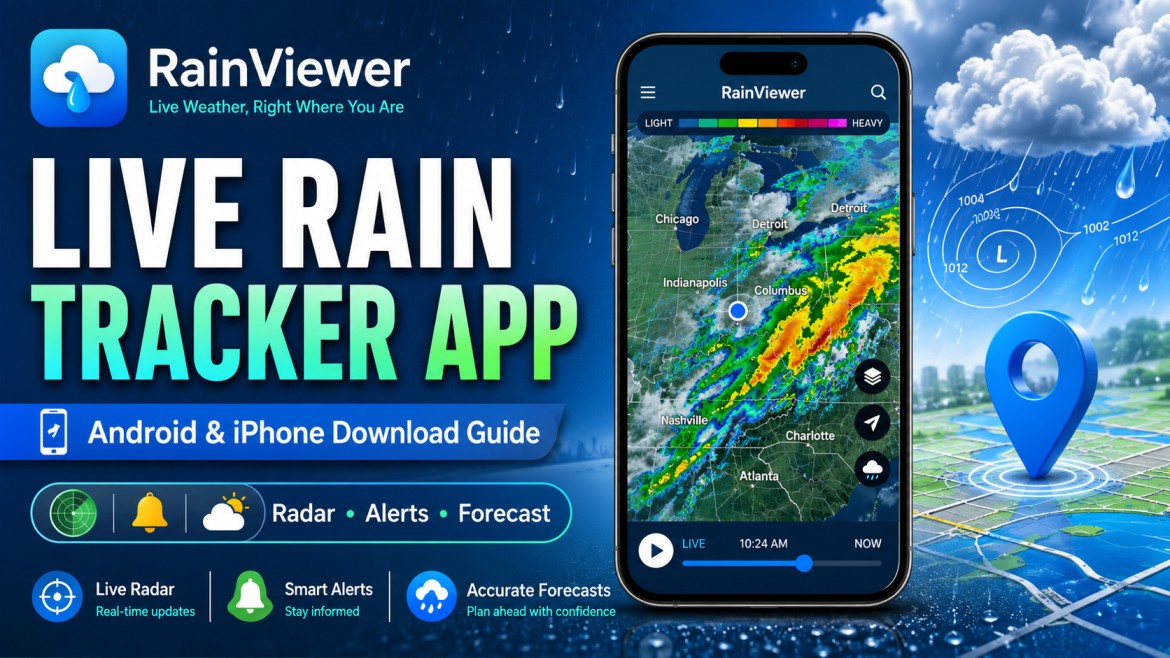
RainViewer is a weather-radar application available for Android and iPhone. It displays live precipitation maps, short-term rain movement, local forecasts, weather alerts, and storm information where supported.
The app can help users see where rain is currently falling and how precipitation may move over the next few hours.
Important: Nuvelloza.com is an independent informational website. We are not affiliated with, sponsored by, or endorsed by RainViewer or its developer, MeteoLab.
RainViewer App Overview
| Particular | Details |
|---|---|
| App name | Rain Viewer: Weather Radar Map |
| Main purpose | Live rainfall radar and weather tracking |
| Platforms | Android, iPhone, iPad, and supported Apple devices |
| Download cost | Free to install |
| Paid options | Optional Essential and Pro subscriptions |
| Main features | Rain radar, alerts, forecasts, storm tracking |
| Internet required | Yes, for live information |
| Location permission | Optional but useful for local forecasts and alerts |
| Developer | MeteoLab |
The official Android and iPhone listings describe RainViewer as a live radar app with rain alerts, local forecasts, and storm or hurricane tracking.
What Is RainViewer?
RainViewer is a weather application designed mainly around animated precipitation radar.
It processes information from supported professional weather-radar networks and displays precipitation on an interactive map.
Users may be able to check:
- Current rainfall
- Rain-cloud movement
- Snow or mixed precipitation
- Short-term radar forecasts
- Local weather forecasts
- Severe-weather alerts
- Storm movement
- Tropical-storm or hurricane information
- Rainfall totals
- Saved locations
The exact features available depend on the user’s country, radar coverage, device, app version, and subscription plan.
Main Features of RainViewer
Live Rain Radar
The radar map shows areas where precipitation is currently detected.
Users can:
- Zoom in and out
- Move around the map
- Play radar animation
- Check the direction of precipitation
- Review nearby rain intensity
- View supported weather-radar stations
Radar data may update frequently, but it should not be described as perfectly real-time because processing and transmission delays can occur.
Short-Term Rain Forecast
RainViewer uses radar information to show how rain may move over the short term.
This can help users decide whether to:
- Carry an umbrella
- Delay a journey
- Move an outdoor activity indoors
- Protect equipment
- Change a delivery route
- Adjust farming work
Short-term radar movement is still a forecast and is not guaranteed.
Rain and Weather Alerts
Users may enable notifications for selected locations.
Depending on location and app settings, alerts may include:
- Rain approaching
- Heavy precipitation
- Severe weather
- Storm-related conditions
- Changes in the local forecast
Notifications require permission and may be affected by phone battery settings, background restrictions, or internet connectivity.
Local Weather Forecasts
The app provides weather forecasts for saved or current locations.
Forecast information may include:
- Temperature
- Rain probability
- Precipitation amount
- Wind
- Cloud cover
- Hourly conditions
- Daily outlook
RainViewer also introduced access to multiple forecast models in supported versions, allowing users to compare different forecast systems.
Rainfall Totals
RainViewer offers rainfall-total information showing how much precipitation has already fallen over selected periods.
Its official website says a premium rainfall layer can show totals for periods such as 1, 3, 12, 24, or 48 hours, depending on current plan availability.
This can be useful for:
- Farmers
- Gardeners
- Outdoor workers
- Drainage monitoring
- Event planning
- General weather observation
Tropical Storm and Hurricane Tracking
In supported regions, the app may display:
- Active storm systems
- Storm position
- Movement
- Forecast path
- Related alerts
This feature is more relevant in countries affected by tropical cyclones and may not be available everywhere.
Saved Locations
Users may save locations such as:
- Home
- Workplace
- Farm
- School
- Travel destination
- Family member’s city
The number of saved locations and available alert options may depend on the app plan.
Free and Paid Features
RainViewer is free to download from Google Play and Apple’s App Store.
The free version may include:
- Live radar
- Basic forecast information
- Selected alerts
- Advertising
- Limited radar history or forecast features
Paid plans may provide features such as:
- Ad-free use
- Advanced radar data
- Longer radar archive
- More detailed storm information
- Additional saved locations
- Advanced forecast tools
- Premium map layers
RainViewer currently compares Free, Essential, and Pro feature levels on its official website.
Pricing can vary by:
- Country
- Device platform
- Billing period
- App-store taxes
- Promotional offers
Always check the current price shown inside Google Play or the Apple App Store before subscribing.
How to Download RainViewer on Android
Step 1: Open Google Play Store
Open the official Google Play Store on your Android phone or tablet.
Step 2: Search for the App
Search for:
Rain Viewer: Weather Radar Map
Check the following before installing:
- Developer name
- App icon
- Number of downloads
- Reviews
- App description
The official Android listing is published by MeteoLab.
Step 3: Tap Install
Select the official app and tap Install.
Wait for the download and installation to finish.
Step 4: Open the App
Tap Open after installation.
Step 5: Choose Location Permission
The app may request location access.
You can choose:
- Precise location
- Approximate location
- Permission only while using the app
- No location permission
Without location access, you may still be able to search manually for a city, but automatic local alerts may be limited.
Step 6: Configure Notifications
Allow notifications when you want rain or severe-weather alerts.
You can usually adjust notification categories later through the app or Android settings.
How to Download RainViewer on iPhone
Step 1: Open the Apple App Store
Open the App Store on your iPhone or iPad.
Step 2: Search for RainViewer
Search for:
RainViewer: Live Weather Radar
Step 3: Verify the Official Listing
Check that the developer is MeteoLab and review the current compatibility, privacy, and in-app purchase details.
The official Apple listing confirms that the app is available for iPhone and includes live radar, rain alerts, local forecasts, and storm tracking.
Step 4: Tap Get
Tap Get and complete:
- Face ID
- Touch ID
- Device passcode
- Apple ID verification
when required.
Step 5: Open and Configure
Open the application and choose your preferred:
- Location access
- Notification settings
- Units
- Map style
- Saved places
How to Use RainViewer
Find Your Location
Allow GPS access or manually search for a city or place.
Open the Radar Map
The radar map displays supported precipitation information.
Colours usually represent different rainfall or snowfall intensities. Check the current legend because map colours can vary by layer.
Play the Radar Animation
Use the play control to see:
- Where precipitation has moved
- Its current direction
- Possible short-term movement
Tap a Location
Depending on the plan and feature availability, tapping the map may show:
- Rain intensity
- Precipitation type
- Local forecast
- Rainfall totals
- Other weather details
Save Important Places
Add locations you frequently monitor.
Enable Alerts
Select the types of weather notifications you want to receive.
Avoid enabling too many locations if you do not want frequent alerts.
Who May Find the App Useful?
RainViewer may be useful for:
- Drivers
- Delivery workers
- Farmers
- Construction workers
- Cyclists
- Hikers
- Campers
- Travellers
- Event organisers
- Outdoor sports players
- Photographers
- Drone operators
- Families planning outings
Benefits of a Live Rain Tracker
Better Daily Planning
Users can check whether rain is approaching before leaving home.
Travel Preparation
Radar maps may help drivers and travellers identify heavy precipitation along a route.
The app should not be used while actively driving. Check conditions before starting or ask a passenger to operate the phone.
Farming and Outdoor Work
Farmers and outdoor workers may use radar and rainfall totals as additional planning information.
However, important agricultural decisions should also consider local forecasts, soil conditions, official warnings, and professional advice.
Event Planning
Users can monitor rainfall before:
- Weddings
- Sports events
- Picnics
- Outdoor work
- Festivals
- School activities
Device and Internet Requirements
Requirements change with app updates.
Users generally need:
- A compatible Android or iOS device
- Sufficient storage space
- Active internet connection
- Updated app-store account
- Location permission for automatic local information
- Notification permission for alerts
Check the current Google Play or App Store listing for the exact operating-system requirement.
Common Problems and Solutions
App Will Not Install
Try:
- Checking storage space
- Restarting the phone
- Updating the operating system
- Updating Google Play or the App Store
- Confirming device compatibility
- Using a stable internet connection
Radar Map Is Not Loading
Try:
- Switching between Wi-Fi and mobile data
- Closing and reopening the app
- Checking whether the service is temporarily unavailable
- Updating the app
- Disabling a restrictive VPN or firewall temporarily
- Restarting the phone
Incorrect Location
Check:
- GPS is enabled
- Location permission is allowed
- Precise location is enabled where needed
- The correct saved location is selected
You can also search for the location manually.
Alerts Are Not Arriving
Check:
- Notification permission
- Background app refresh
- Battery optimisation
- Do Not Disturb mode
- Saved-location alerts
- Internet connection
- App subscription limits
Radar Is Not Available in My Area
Weather-radar coverage is not identical worldwide.
Some locations may have:
- Limited radar stations
- Delayed data
- No local radar
- Satellite or forecast information instead
- Temporary outages
Safety and Privacy Tips
- Install only from Google Play or Apple’s App Store.
- Avoid unofficial APK websites.
- Verify the developer before installing.
- Review location and notification permissions.
- Keep the app updated.
- Review subscription terms before paying.
- Do not use the phone while driving.
- Do not rely on one app during dangerous weather.
- Follow official government emergency warnings.
- Cancel subscriptions through the relevant app-store settings when no longer required.
Weather Accuracy Disclaimer
Weather radar is useful, but it is not perfect.
Accuracy can be affected by:
- Radar coverage
- Mountains
- Distance from radar stations
- Data delays
- Fast-changing storms
- Forecast-model limitations
- Internet problems
- Local weather conditions
RainViewer’s official description focuses on direct radar data and short-term rain information, but no weather application can guarantee exact conditions for every location and minute.
During floods, cyclones, severe thunderstorms, or other dangerous events, follow alerts from official meteorological and emergency authorities.
Frequently Asked Questions
Is RainViewer free?
The app is free to install, but it includes optional in-app purchases and paid subscriptions. The free experience may contain advertising.
Is RainViewer available for Android?
Yes. It is available through Google Play for compatible Android devices.
Is RainViewer available for iPhone?
Yes. It is available through Apple’s App Store for compatible iPhone and iPad devices.
Does RainViewer need internet access?
Yes. Live radar, forecasts, and alerts require updated online weather data.
Does it work without GPS?
Users may be able to search for locations manually, but automatic local weather and alerts may work better with location permission.
Can it show snow?
Yes, supported radar and forecast layers may display snow or other precipitation types.
Does it show wind?
Forecast sections may include wind information. Exact data depends on the current app version and selected plan.
Can I track storms?
Yes, it includes storm-related radar and tropical-storm features where available.
Are forecasts guaranteed?
No. Weather forecasts and radar predictions are estimates and can change quickly.
Is RainViewer an official government app?
No. It is a privately developed weather application by MeteoLab.
Final Words
RainViewer can be a useful tool for viewing live rain radar, following short-term precipitation movement, receiving alerts, and checking local forecasts.
To use it safely:
- Download it only from an official app store
- Check the developer name
- Configure only the permissions you need
- Review paid subscription terms
- Keep the app updated
- Follow official weather warnings during emergencies
Disclaimer
This article is provided for general informational purposes only.
Nuvelloza.com is not affiliated with RainViewer, MeteoLab, Google Play, Apple, or any weather authority.
Features, pricing, subscriptions, compatibility, data coverage, app-store availability, and interface design may change without notice.
Weather information may be delayed or inaccurate and should not be relied on as the only source during severe or dangerous conditions.
Always download the app through the official Google Play Store or Apple App Store and follow warnings issued by government meteorological and emergency authorities.

nuvelloza
Nuvelloza’s editorial team is responsible for researching, reviewing, and maintaining this guide.
More articles by this authorRelated guides

How to Apply for a Driving Licence Online in India: Learner’s Licence, Test and Download Process
On this pageDriving Licence Application OverviewWhat Is a Learner’s Licence?Eligibility by Vehicle TypeDocuments Commonly RequiredStep 1: Apply for a Learner’s Licence OnlineOpen the…

Voter List 2026: Check Your Name and Download the Electoral Roll Online
On this pageVoter List 2026 OverviewWhat Is a Voter List?Why Is the Electoral Roll Important?Confirms Voting EligibilityShows Polling DetailsHelps Detect ErrorsReduces Last-Minute ProblemsIs…
State and UT Land Records Online: Check Record of Rights in India
On this pageLand Records Online: OverviewWhat Is a Record of Rights?Is an Online Land Record Proof of Ownership?Digital India Land Records Modernization ProgrammeMain…